Blocks at the iOS level with Apple Screen Time

You have goals.
Your phone has other plans.

Wall off the apps and websites eating your evenings, name the goal you actually want, and turn every held block into altitude. This isn't about your phone — it's about getting your time back.

Free to download · 7 days free No account required Nothing leaves your phone
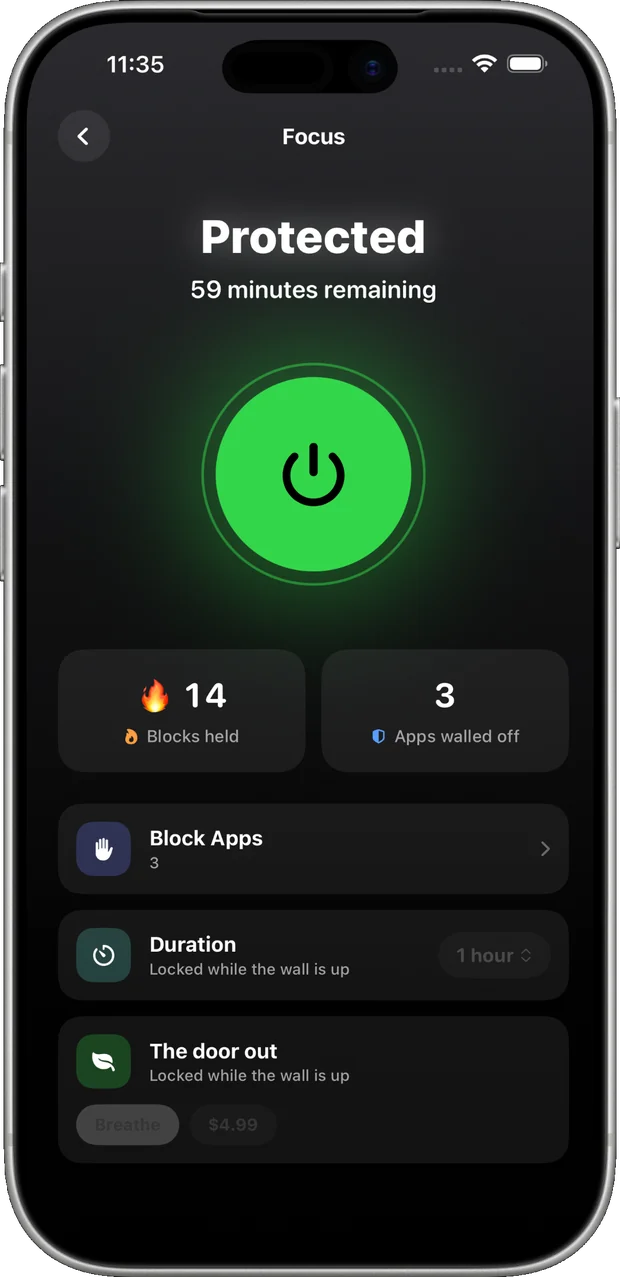
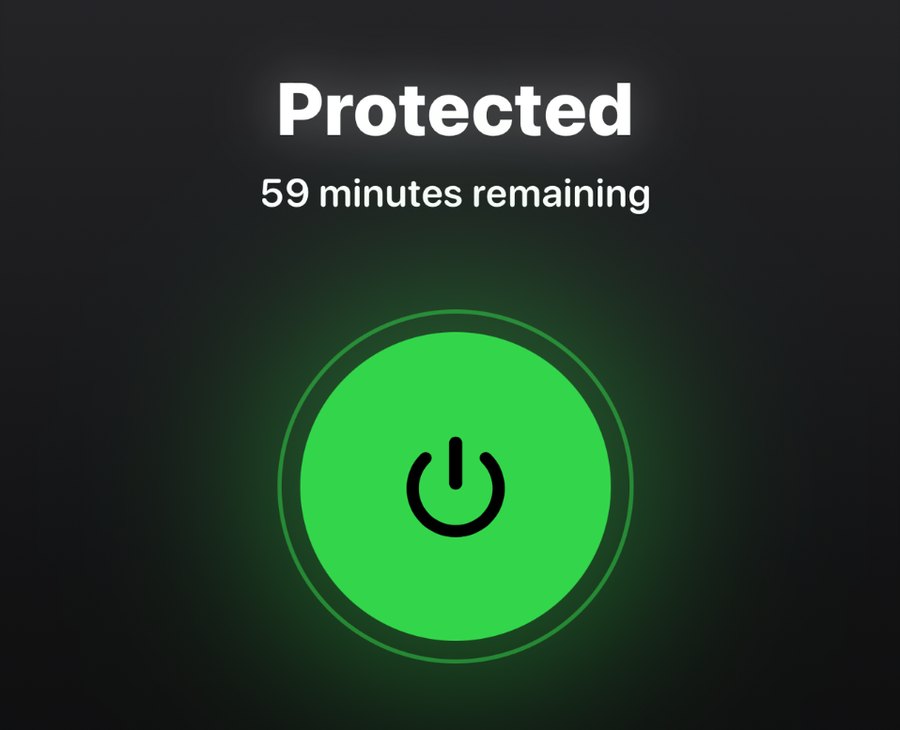
climbr Focus screen reading Protected with 59 minutes remaining
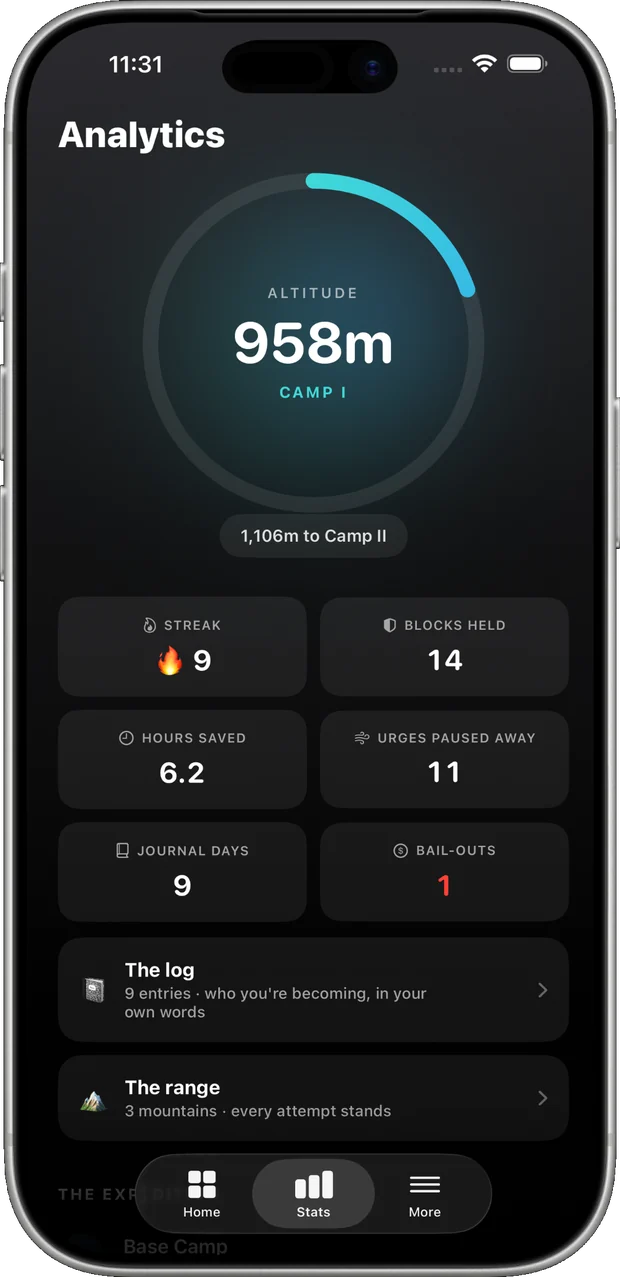
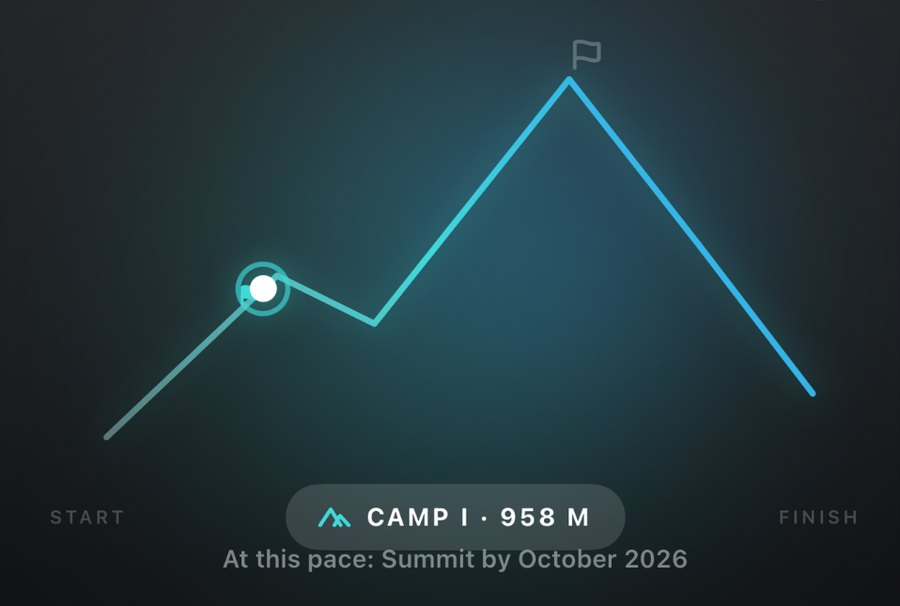
climbr analytics screen showing 958 metres of altitude at Camp I
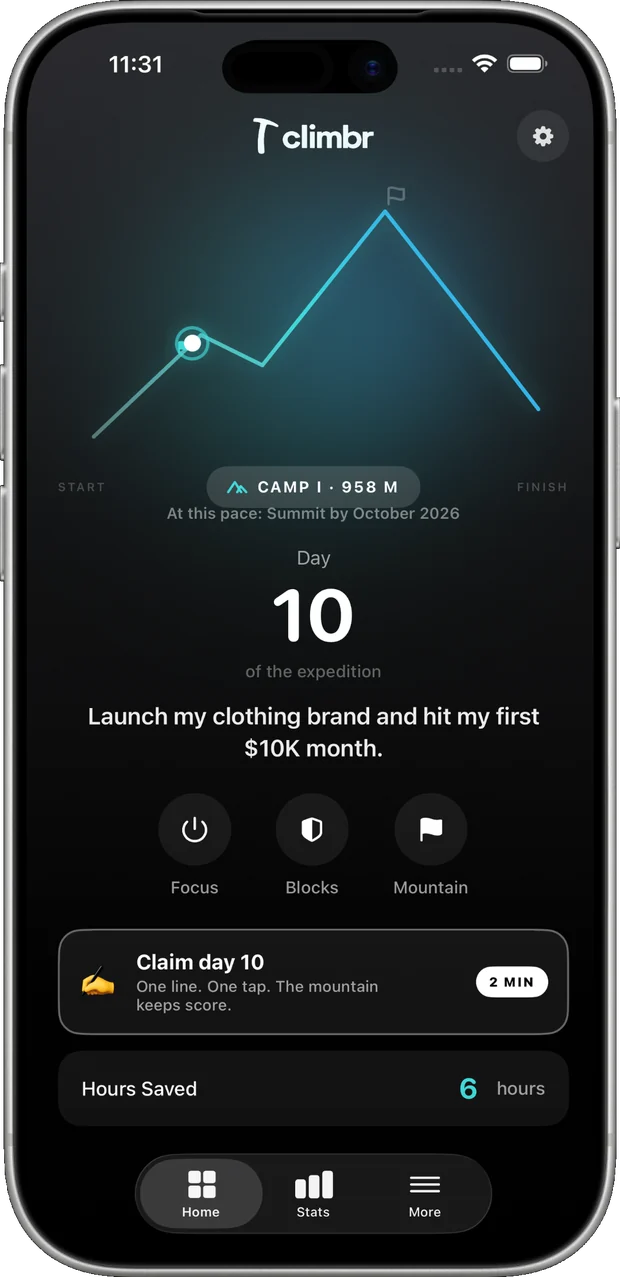
climbr home screen with the expedition ascent line on day 10

One hour doesn't change your life. Thousands of them do.

How it works

Four moves between you and the person you said you'd be.

climbr isn't a timer you can argue with. It's a wall, a goal, and a ledger that remembers.

Put up the wall.

Pick the apps that eat your evenings — Instagram, TikTok, YouTube, X, Reddit, Snapchat, or anything else on your phone. climbr shields them through Apple's Screen Time framework, so the block holds at the system level.

One giant switch. Green means the wall is up, and the wall's own controls lock behind it.

Live — apps & categories shielded by iOS
The Focus screen: Protected, with one large green power switch and 59 minutes remaining

Close the side doors too.

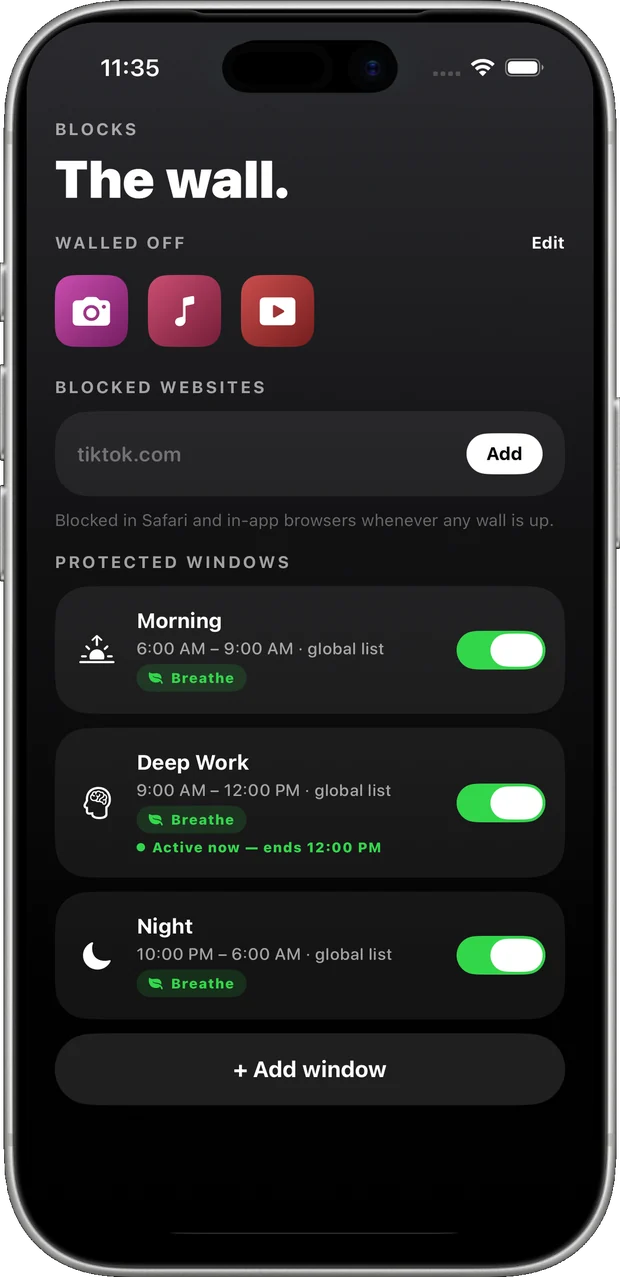
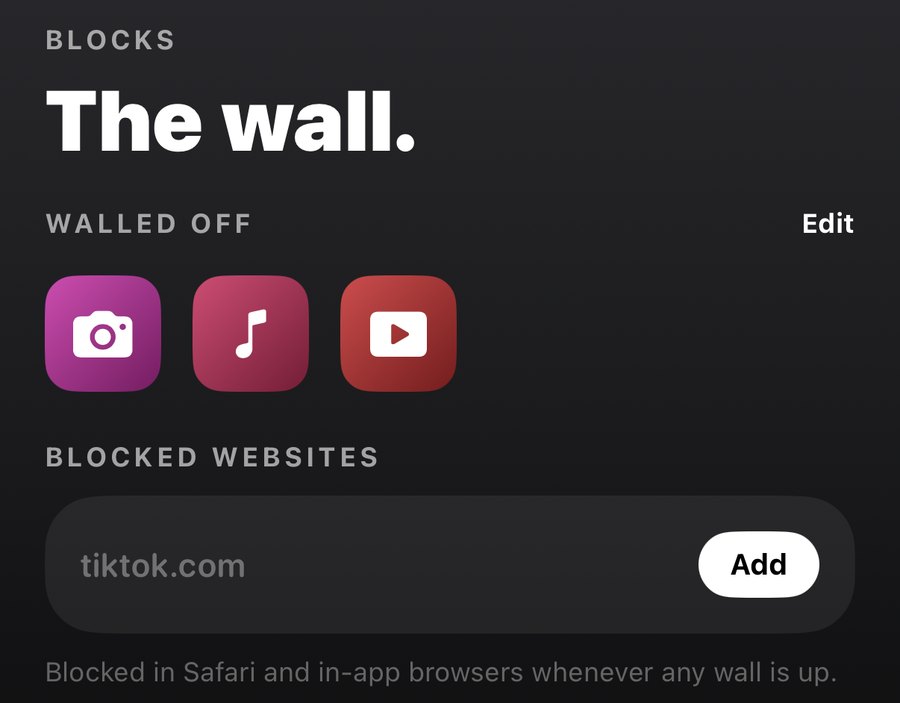
Blocking the app does nothing if the website is one tab away. Add the domains that pull you back — tiktok.com, youtube.com, whatever it is — and they're blocked in Safari and in-app browsers whenever any wall is up.

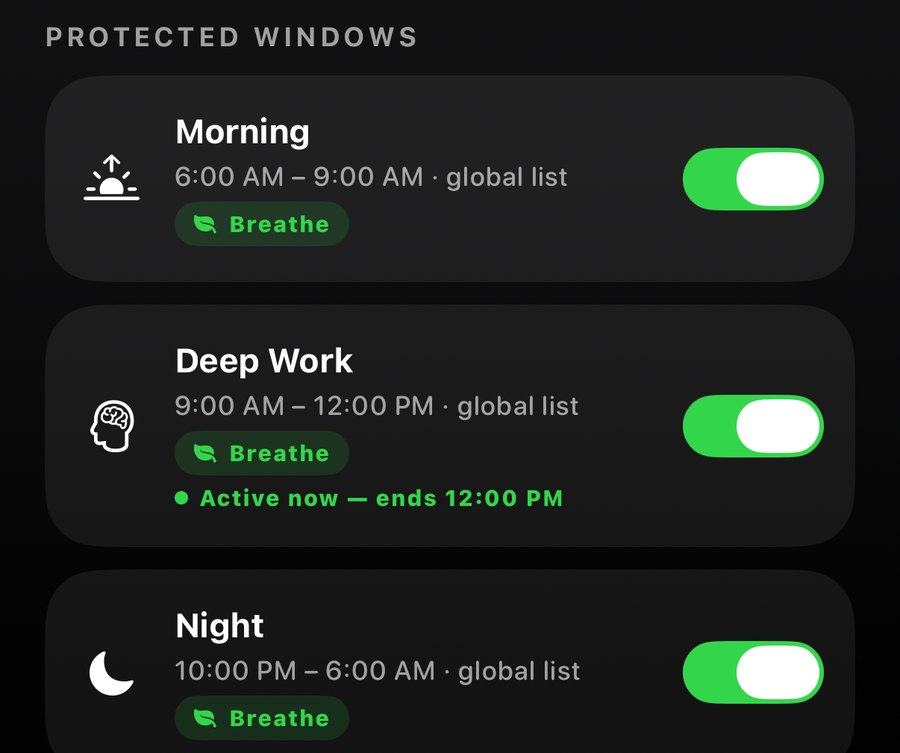
Then hand the schedule to the app: protected windows raise the wall on their own. Mornings stay yours, deep work stays deep, nights stay dark.

The Blocks screen: walled-off apps, a blocked-websites field, and three protected windows

Name the goal. Set the deadline.

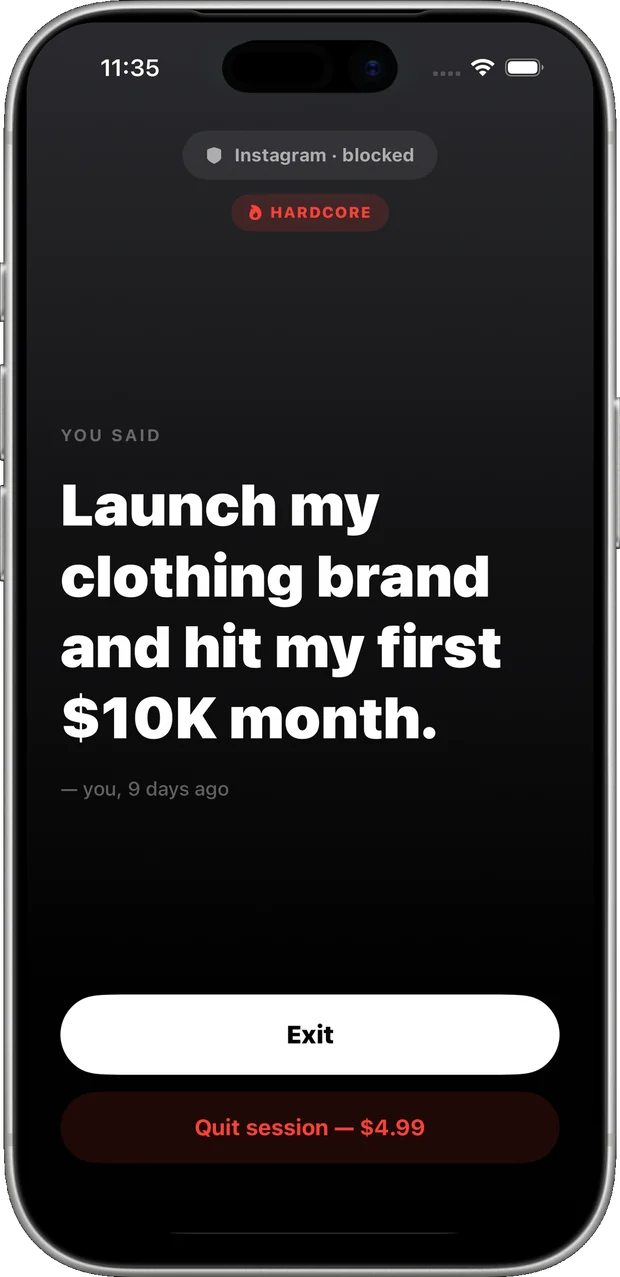
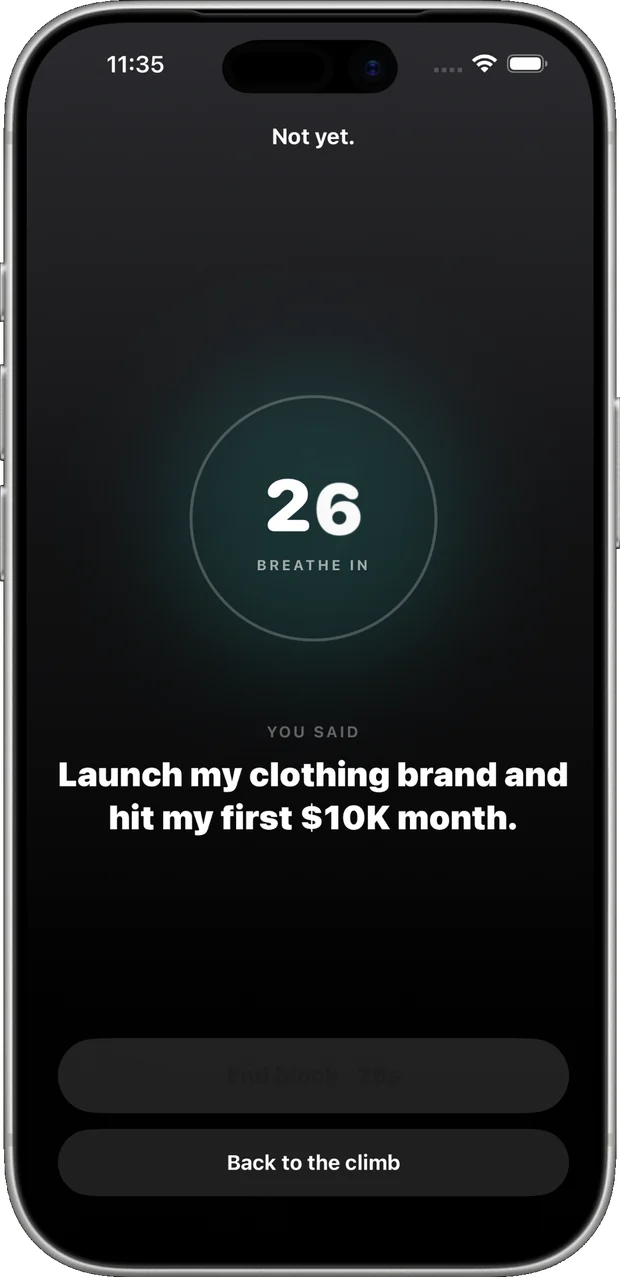
Write down what you actually want, in your own words, and give it one to twenty-four months. That sentence follows you — it's what you see on the block screen instead of the feed.

Every honest day climbs from Base Camp toward 8,849 metres. Bail out, and you slide back down. The mountain doesn't lie.

The block screen showing your own goal back to you instead of the feed

Claim the day. Watch the ledger fill.

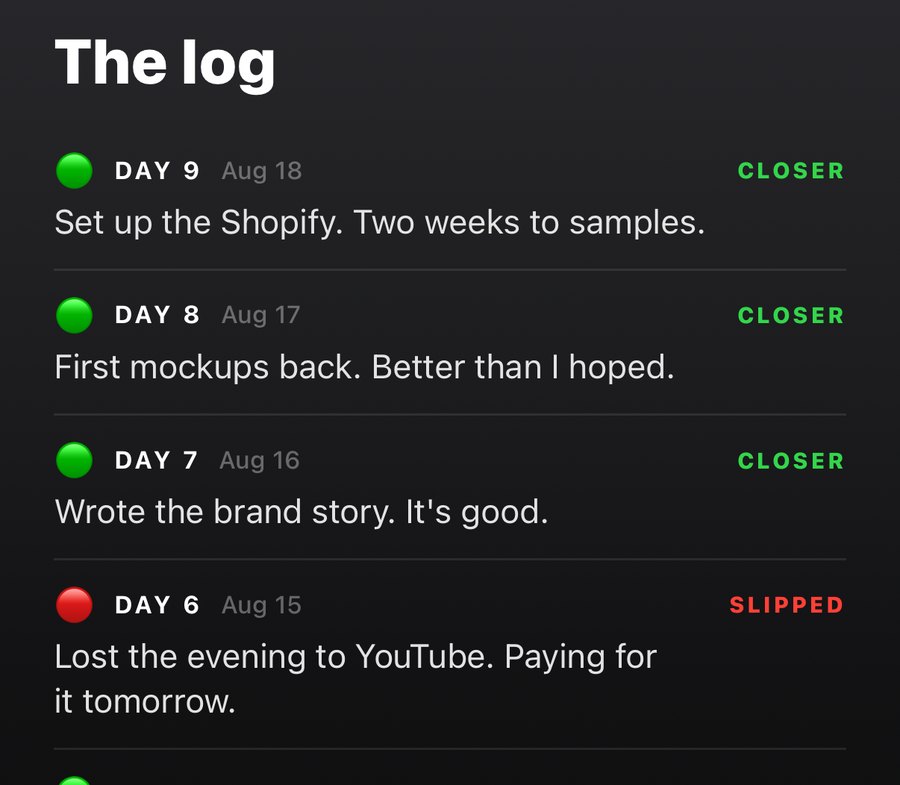
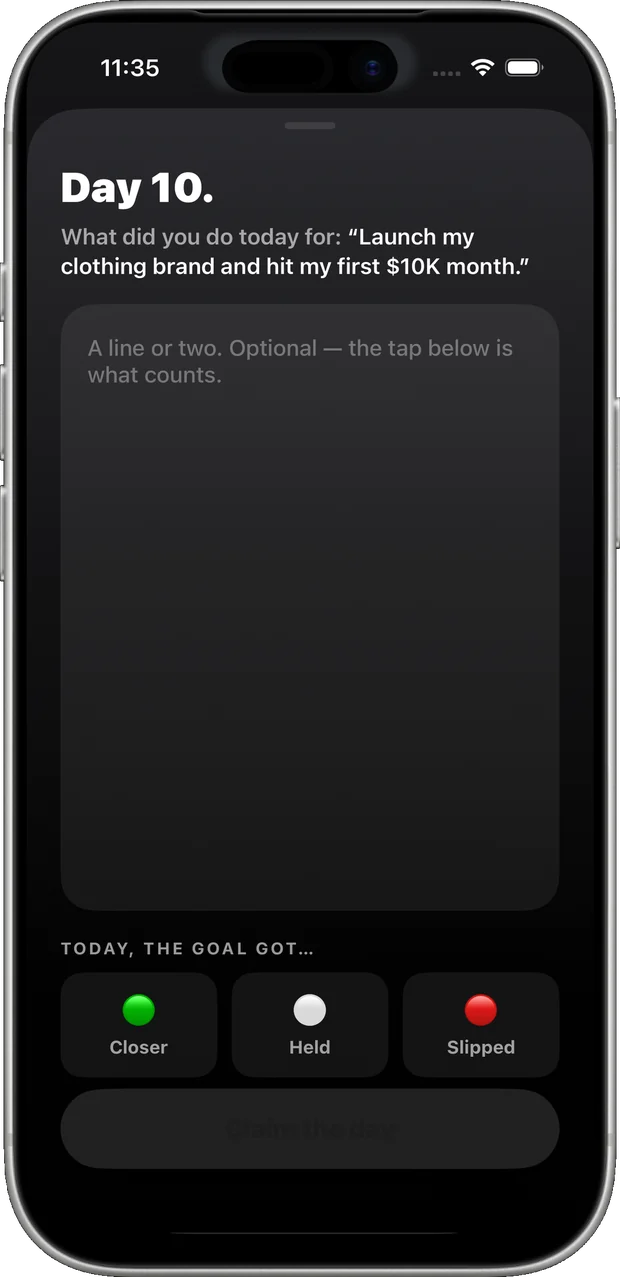
Every evening, one honest tap: did the goal get closer, hold, or slip? Add a line if you want — the tap is what counts.

Altitude, streak, blocks held, hours saved, urges paused away, and every bail-out you bought. The feed already clocked in; this is the receipt for the hours you took back.

The analytics screen with the altitude ring, streak, blocks held and hours saved
The door out

Every block has exactly one door.

You choose which one before the craving arrives — not during it. Sessions and schedules can each pick their own.

Default

Breathe

A breath

30 s → 5 min, and it grows

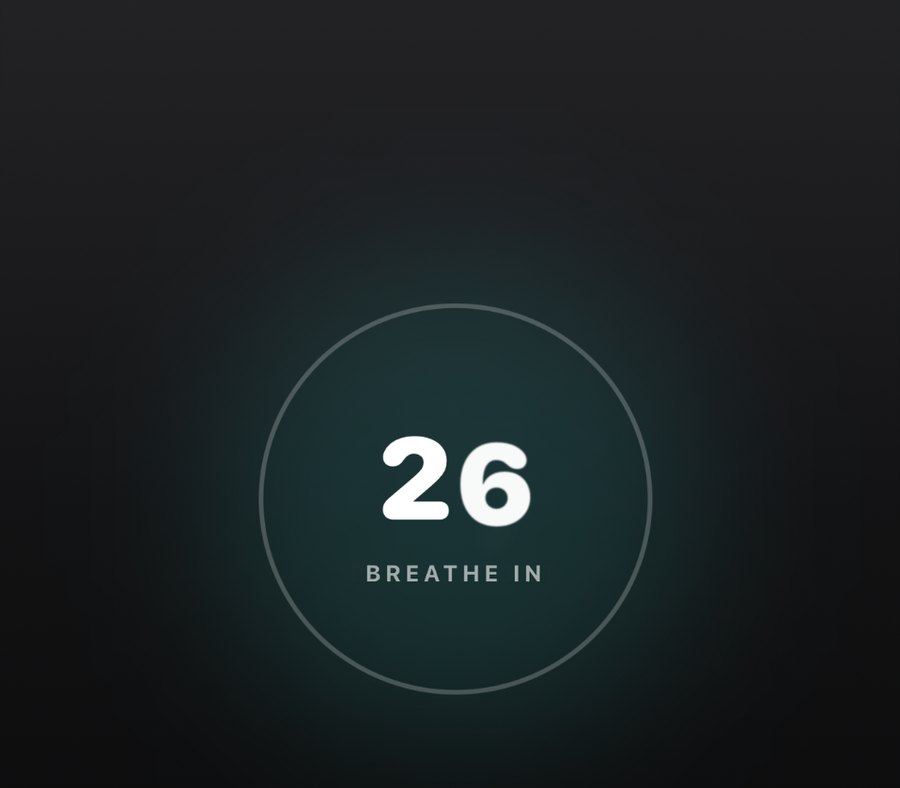
Quitting early puts you face-to-face with your own goal for a breath that gets longer every time you use it. No charge, no punishment — just enough friction to put the decision back in your hands.

  • Buys 5 minutes out, then the wall returns
  • Costs 5% of the altitude you've climbed
  • The breath grows each time — 30 s at first, up to 5 minutes
Opt-in

Hardcore

$4.99

Every single time

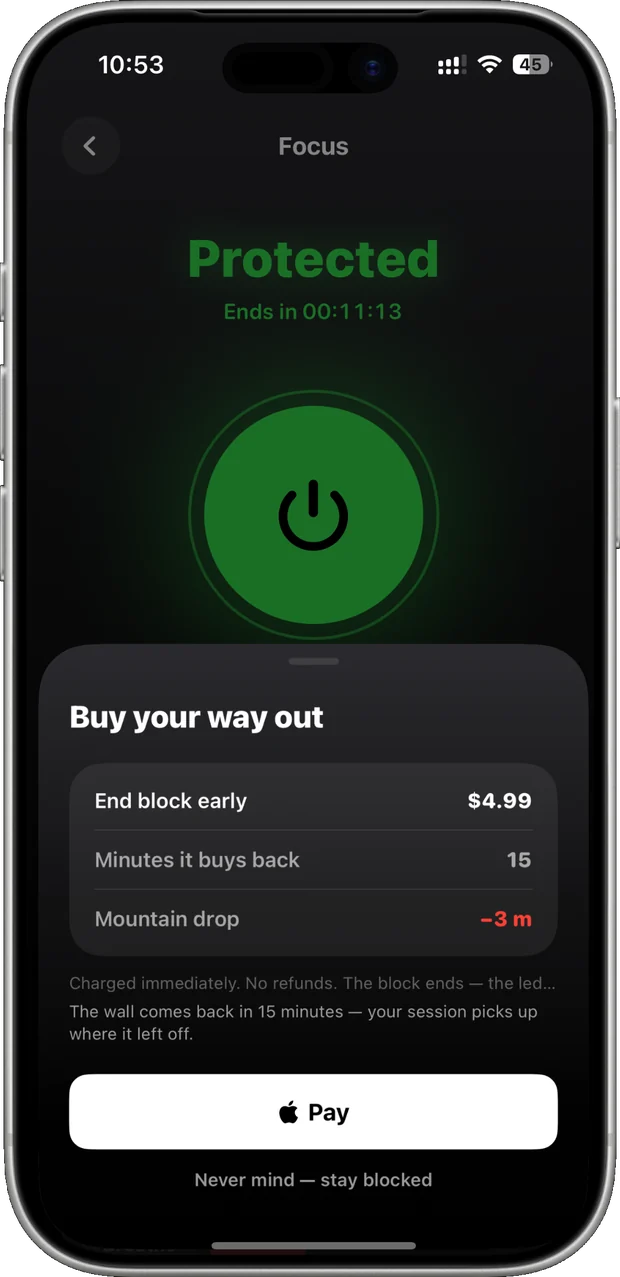
Put a price on breaking your own promise — charged on the spot, written into your ledger, and a fifth of your climb gone. It's the deposit contract, pointed straight at your feed.

  • Buys 15 minutes out, then the wall returns
  • Costs 20% of the altitude you've climbed
  • Arming is instant; going back takes 24 hours

Commitment isn't a switch you flip mid-craving. Hardcore charges immediately and doesn't refund; the wall comes back either way, and the ledger remembers.

The toolkit

Everything that stands between you and the scroll.

The ascent line climbing toward Camp I at 958 metres

The mountain

Your goal, your deadline, six camps and 8,849 metres of climb — progress you can see, earned only by days you actually held.

The Focus screen reading Protected, with the green power switch

Focus

One switch raises the wall for as long as you say — and locks its own controls while it's up.

Walled-off apps and a blocked-websites field showing tiktok.com

Apps and websites

Unlimited blocks on any app or category, plus the domains behind them — blocked in Safari and in-app browsers whenever a wall is up.

Protected windows for Morning, Deep Work and Night, with Deep Work active

Protected windows

The wall raises itself on a schedule, and each window can carry its own door out.

The breathing pause counting down inside a teal ring

The pause

Seconds face-to-face with your own goal before you can bail — and the breath grows every time you use it.

The log: nine days of entries marked closer, held and slipped

The log

Who you're becoming, in your own words — one honest line a day, and the verdict that moved the mountain.

The climb

Six camps. One summit.

You're not building a streak. You're building a life you actually want — and every honest day moves you up the mountain.

Base Camp

0 m

Everyone starts here. Few leave.

Camp I

688 m

The first stretch is the steepest.

Camp II

2,065 m

Habits break here. Yours, or the phone's.

Camp III

4,425 m

Thin air. Clear head.

South Col

6,490 m

The last push. No one drifts to the top.

Summit

8,849 m

The goal, achieved. The feed lost.

Inside climbr

Seven screens. One job.

Home — the mountain

The mountain

Focus — the wall up

Focus

Blocks — apps, websites and protected windows

The wall

Breathe — the pause before a bypass

Breathe

Analytics — the ledger

The ledger

Journal — claiming the day

The claim

The Hardcore door: buy your way out for $4.99

The door out

Questions

Before you commit.

What can climbr actually block?
Any app or category on your iPhone — Instagram, TikTok, YouTube, X, Reddit, Snapchat, news, email, whatever pulls you in — plus specific websites, which are blocked in Safari and in-app browsers whenever a wall is up. Blocking runs through Apple's Family Controls and Screen Time framework, so it holds at the system level rather than politely asking you to stop.
Can I just turn it off when I want to scroll?
No. While a block is live, its own controls are locked — including the settings that would let you undo it. Every block has exactly one door out, and you choose which door before the craving arrives.
What's the difference between Breathe and Hardcore?
Breathe is the default: quitting early means sitting with your own goal for a breath that starts at 30 seconds and grows to 5 minutes with repeat use. It buys you 5 minutes out and costs 5% of your climb. Hardcore is opt-in: the only door is $4.99, charged immediately, every time — it buys 15 minutes and costs 20% of your climb. Arming Hardcore is instant; switching back to Breathe takes 24 hours.
Can I block websites, not just apps?
Yes. Add any domain to your blocked list and it's shielded in Safari and in-app browsers whenever a wall is up — so blocking the TikTok app doesn't just push you to tiktok.com in a tab.
Does the wall go up on a schedule?
Yes — protected windows raise it for you. Set a morning window, a deep-work block, a nightly shutdown, and each one can carry its own door out.
What is "the mountain"?
Your goal, turned into a climb. Write down what you want and pick a deadline between one and twenty-four months. Every day you claim honestly moves you up through six camps toward 8,849 metres — Everest's height. Bail-outs move you back down.
Can climbr see my screen time data?
No. Your app activity stays on your phone — Apple's framework doesn't expose it to us. climbr can only raise and lower the wall.
Do I need an account?
No. You can use climbr without creating one — the climb lives on your phone. Signing in is optional, and only there so your climb survives a new device.
What does it cost?
The app is free to download. Membership is $39.99 a year with the first 7 days free, or $12.99 a month. The trial is the test drive; the price is the filter. It auto-renews until you cancel, and you can cancel anytime in Settings.
Is it on Android?
Not yet. climbr is iPhone-only, because the blocking depends on Apple's Screen Time framework. It requires iOS 26 or later.

Private by design

Your app activity stays on your phone.

Apple doesn't let us see it — climbr can only raise and lower the wall. The apps you pick are sealed tokens, not names. Built on Apple's Family Controls & Screen Time framework.

climbr membership

The mountain is waiting.

$39.99 a year — 7 days free first — or $12.99 a month. No free version after that. That's the filter.

Auto-renews until canceled. Cancel anytime in Settings. Requires iPhone with iOS 26 or later.